Translate Your Store, Expand Your Reach
Instantly translate your Shopify products, collections, pages, and more into any language. Powered by cutting-edge AI for accurate, natural translations.
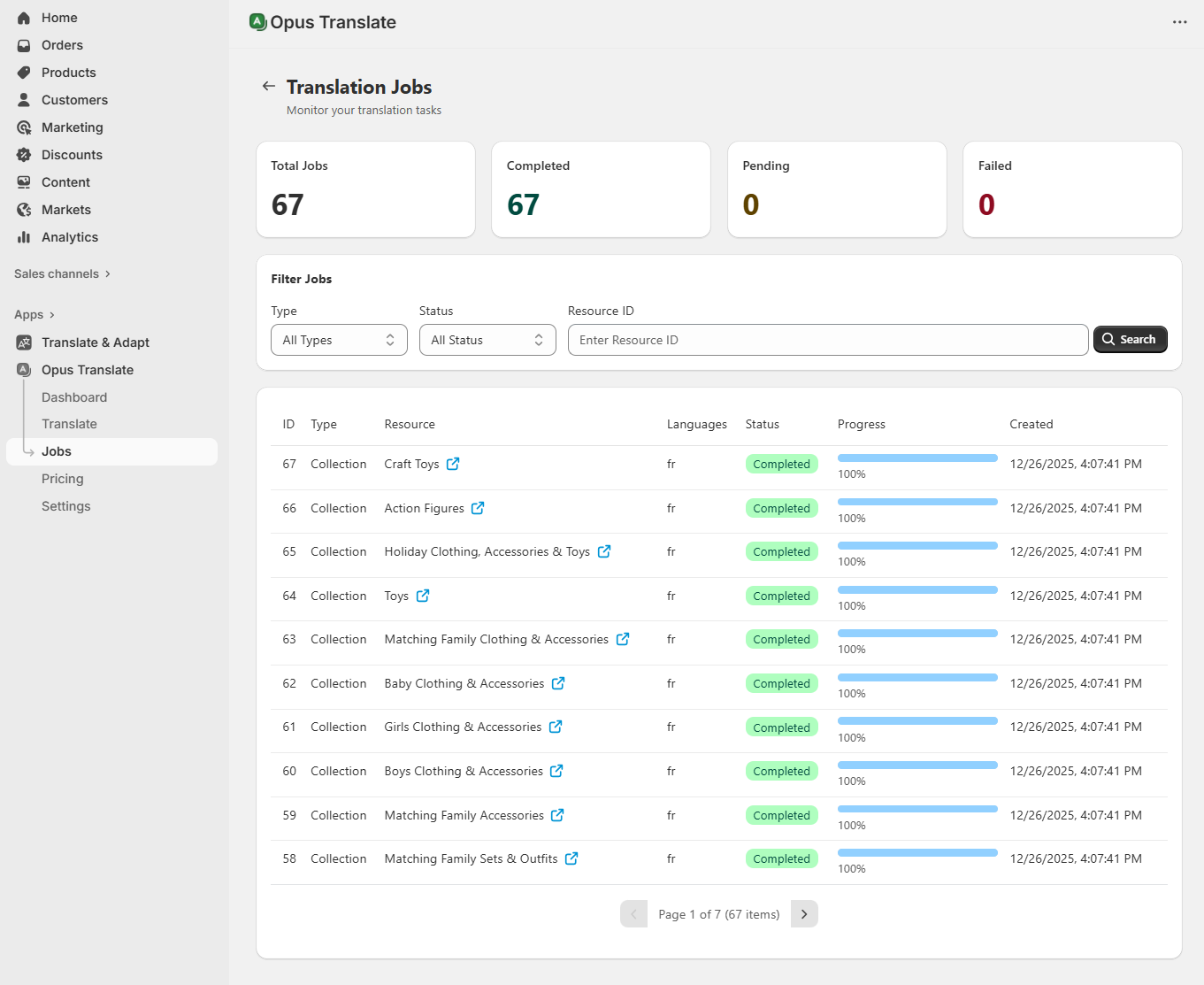
Translate All Your Shopify Content
Products
Titles, descriptions, SEO meta
Collections
Collection titles and descriptions
Pages
Static page content
Articles
Blog posts and articles
Menus
Navigation menu items
Powerful Features for Your Store
Everything you need to translate and localize your Shopify store for global customers.
Multi-Language Support
Translate your store content into any language. Support for all major languages worldwide.
AI-Powered Translation
Leverage cutting-edge AI models including OpenAI GPT, DeepL, and Claude for accurate translations.
Batch Translation
Translate all your products, collections, and content with a single click. Save hours of manual work.
Smart Caching
Intelligent caching system remembers previous translations to speed up future tasks and reduce costs.
Complete Content Coverage
Translate products, collections, pages, blog articles, and navigation menus - everything your store needs.
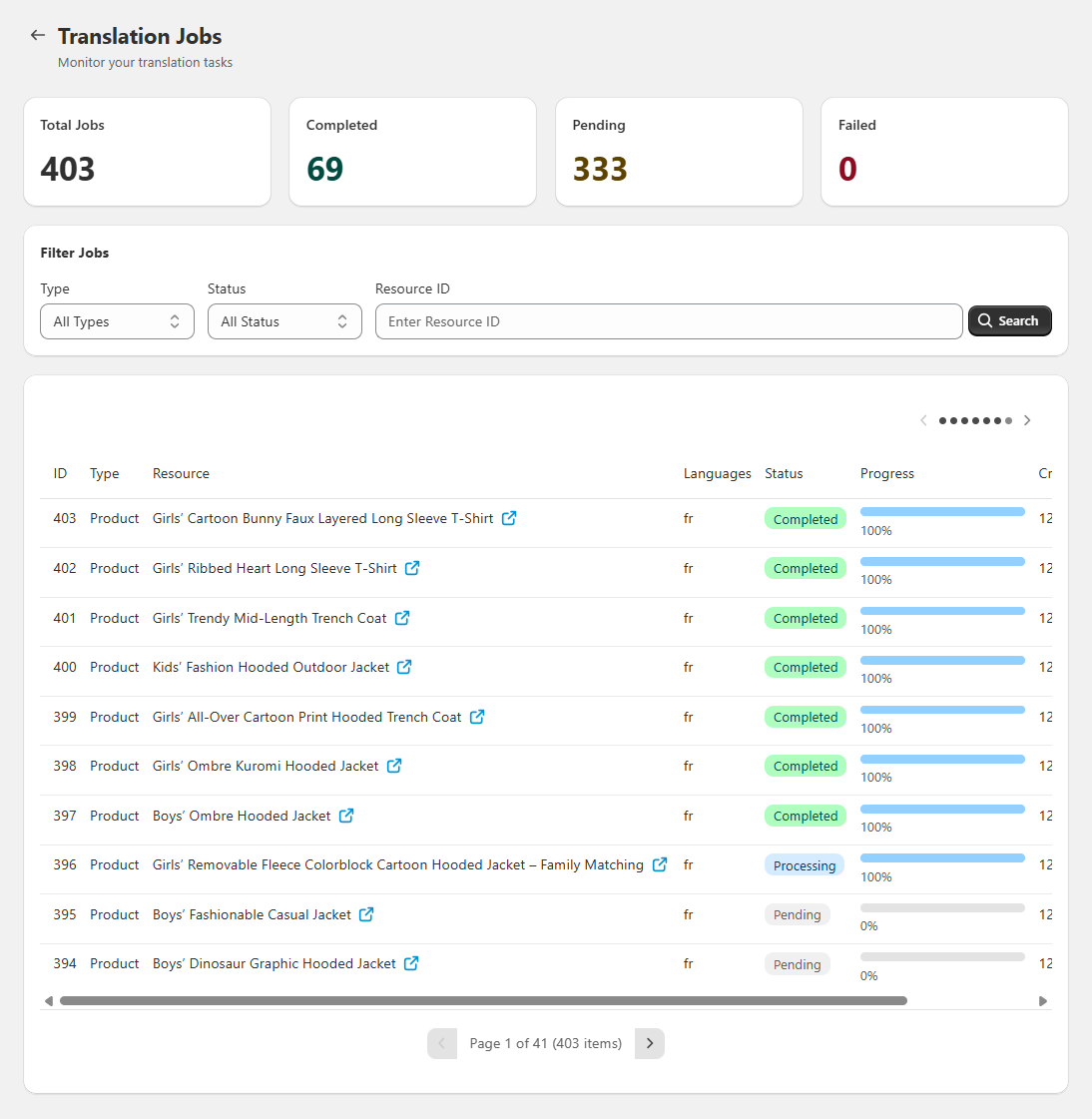
Real-Time Progress
Monitor translation jobs in real-time. Track progress, view history, and manage all your translations.
How It Works
Get started in minutes with our simple 3-step process.
Install the App
Add Opus Translate to your Shopify store with one click. No coding required.
Select Languages
Choose your source language and target languages for translation.
Translate Content
Translate individual items or batch translate your entire catalog instantly.
Simple, Transparent Pricing
Choose the plan that fits your business. Start free and upgrade as you grow.
Free
Perfect for trying out the app
- Up to 100 products
- 500 translation tasks/month
- All language support
- Basic translation quality
Starter
Great for small stores
- Up to 1,000 products
- 5,000 translation tasks/month
- All language support
- AI-powered translation
- Translation cache
- Email support
Growth
Best for growing businesses
- Up to 5,000 products
- 25,000 translation tasks/month
- All language support
- AI-powered translation
- Translation cache
- Priority support
- Batch translation
Pro
For large-scale operations
- Up to 10,000 products
- 50,000 translation tasks/month
- All language support
- AI-powered translation
- Translation cache
- Priority support
- Batch translation
Frequently Asked Questions
Got questions? We've got answers.
How does Opus Translate work?
Opus Translate uses advanced AI models to translate your Shopify store content. Simply install the app, select your source and target languages, and let our AI handle the rest. You can translate individual items or use batch translation for your entire catalog.
What content can I translate?
You can translate products (titles, descriptions, SEO fields), collections, static pages, blog articles, and navigation menus. Our app covers all the content types that Shopify supports for localization.
Which AI translation engines are supported?
We support multiple AI engines including OpenAI GPT models, DeepL, and Anthropic Claude. You can choose the engine that best fits your needs and budget.
Will translations overwrite my existing content?
No, translations are stored as locale-specific versions in Shopify. Your original content remains untouched. Shopify automatically serves the appropriate language version based on customer preferences.
How accurate are the translations?
Our AI-powered translations are highly accurate for e-commerce content. The models are trained to understand product descriptions, marketing copy, and technical specifications. For best results, we recommend reviewing translations for brand-specific terminology.
Can I edit translations after they are created?
Yes! You can edit any translation directly in your Shopify admin. Our app respects manual edits and won't overwrite them unless you explicitly choose to re-translate.
Still have questions?
Contact our support teamReady to Go Global?
Join thousands of Shopify merchants who trust Opus Translate to reach customers worldwide.
Install Opus Translate FreeFree plan available • No credit card required